

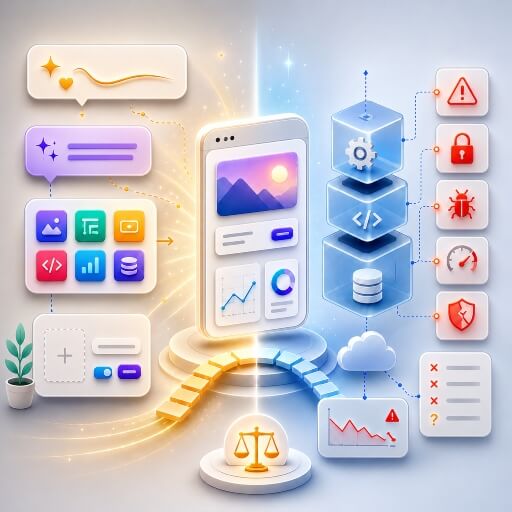
Vibe Coding, No-Code, and the Prototype Trap
When a working demo is not a production app
Lately, a particular kind of message keeps landing in my inbox. Someone — a founder, a small business, occasionally a larger company — had an idea, opened an AI coding tool or a no-code platform, and a few days later ended up with something that genuinely looks like a product. A login screen. A dashboard. A mobile app. Sometimes even payments and an admin panel. It all works when they click around.
Then the real questions start. Can we put this in production? Is it secure? Can real users use it? Can someone else maintain it next year? And, more often than people expect: what did the AI actually build here?
I want to be clear from the start: I use these tools myself, and I think they’re remarkable. This isn’t a takedown. It’s an honest look at what they speed up, what they quietly hide, and why “it seems to work” and “it’s ready for real users” are two very different statements.
Level: Beginner / Intermediate
At a Glance
| Question | Short answer |
|---|---|
| What is vibe coding? | Building software by describing what you want in natural language and letting an AI generate or modify the code — often without reviewing every line. |
| What is no-code? | Building with visual tools, forms, workflows, and prebuilt components instead of writing traditional code. |
| Are they the same thing? | No. One leans on AI-generated code; the other on visual assembly. Both promise that you can build something without being a traditional developer. |
| Can you go to production? | Sometimes — but only if you treat security, architecture, deployment, and maintainability as first-class concerns, not afterthoughts. |
| What is the prototype trap? | A fast demo looks finished — login, dashboard, payments, admin panel — while the hard parts (data model, security, error handling, long-term maintenance) remain invisible until someone asks the right questions. |
| Should you use these tools? | Yes — for exploration, prototypes, demos, and acceleration. Not blindly for sensitive data, payments, or products you expect to maintain for years without human review. |
So what are these things, exactly?
Vibe coding is when you describe what you want in plain language and let an AI write or change the code for you, often without reading every line it produces. The term comes from Andrej Karpathy, who in early 2025 described the experience of “giving in to the vibes” and letting the model drive. It caught on fast enough that Collins Dictionary named it their word of the year. Simon Willison later added a distinction worth keeping: not every use of AI to write code is vibe coding. If you ask a model to explain a function, draft a test, or suggest a refactor while you stay in control, that’s just assisted development. Vibe coding is when you stop steering — build the app, fix the bug, make it better, try again — and mostly react to whatever comes back.
No-code is the older cousin: building apps through visual editors, forms, drag-and-drop blocks and prebuilt components instead of writing code at all. IBM frames it as creating software and automating processes without programming. FlutterFlow is a good mobile example — you assemble a Flutter app visually, drop in custom code where you need it, connect a repository, and even push to the stores.
What’s changed is that the line between the two is dissolving. No-code platforms now generate whole screens and workflows from a prompt, and AI coding tools increasingly hide the code behind a chat box. The labels matter less than they used to. The risk profile is what’s worth paying attention to:
| No-code | Vibe coding | |
|---|---|---|
| How you work | A visual builder | Natural language |
| What you get | An app inside a platform | Generated or modified code |
| Where it shines | Internal tools, simple apps, structured workflows | Prototypes, feature drafts, refactoring help |
| Where it bites | Platform lock-in, scaling limits | Code nobody controls, hidden bugs, security holes |
The landscape right now
The space moves fast enough that any list dates quickly, but it roughly splits in two.
On one side, tools built for developers who want to stay close to the code: Cursor as an AI-first editor, Claude Code working from the terminal or IDE, OpenAI’s Codex, GitHub’s Copilot coding agent that opens pull requests on its own, Google’s Gemini Code Assist and Jules, Amazon Q Developer, plus more autonomous players like Windsurf and Devin. These can make a good developer much faster. They don’t remove the need for someone who knows what’s happening.
On the other side, builders aimed at going from a prompt straight to a running app: Lovable, Replit’s agent, Bolt, and v0 from Vercel for web apps, with FlutterFlow sitting in its own corner as a visual Flutter builder that now layers AI on top. Google even joined the party at I/O 2026, adding native Android app generation to AI Studio. These are genuinely impressive for validating an idea, building a demo, or getting a first version in front of stakeholders. The question none of them answers for you is whether what they produced can survive real-world conditions.
The prototype trap
This is the heart of it, so I’ll be blunt about it. A prototype and a production system are built to do different jobs. A prototype exists to prove an idea is possible. A production system exists to survive reality — and reality is a great deal messier than any demo.
A demo runs the happy path: one user, clean input, a handful of records, nobody trying to break in, nothing happening at the same time. Production is the opposite of all that. Real traffic, hostile input, expired tokens, failed payments, two people editing the same thing at once, support tickets, an app-store reviewer in a bad mood, and eventually the day someone has to take the whole thing over. A working demo isn’t a production system. It’s proof that one scenario worked, once.
When I say “production-ready,” I don’t mean the login screen looks nice. I mean the thing is secure enough for the data it holds, stable enough for real traffic, observable enough that you can tell what’s going on, recoverable when something breaks, and clear enough that another developer can pick it up. A beautiful first screen tells you nothing about whether roles are enforced on the server, whether secrets are exposed, or whether anyone ever set up backups. The gap between prototype and production is mostly invisible — right up until something breaks.
Where it usually goes wrong
Security is the one that worries me most, because it fails silently. AI-generated apps happily produce authentication, database access, file storage, admin panels and APIs — the features are all there. Whether they’re actually protected is a different question, and you can’t answer it by clicking around the interface. OWASP’s work on LLM application security catalogs exactly the kind of gaps that slip through: leaked secrets, over-broad permissions, prompt injection, unsafe handling of model output.
If you want a recent, concrete reminder, look at Lovable’s April 2026 incident: for a stretch, the source code and chat history of public projects could be read by any logged-in user who had the link, before the company fixed it. Note the word public — plenty of non-technical builders never understood what that setting actually meant for their data. Security isn’t a screen you can inspect. It’s a property of the whole system.
Then there’s the code itself. Generated code can run perfectly and still be miserable to live with: one file doing five jobs, duplicated logic, no tests, quick fixes stacked on top of older quick fixes. The app works; every future change just gets slower and more expensive. AI tools also have a habit of being too helpful — you ask for one small feature and get a new abstraction, a new package and a new service layer thrown in for good measure. That can look sophisticated, but more layers isn’t better architecture. Good architecture is the one where every layer has earned its place.
Cost is the quiet trap. A prototype with three users might cost nothing. The same design with three thousand — redundant API calls, unindexed queries, a background job that never sleeps — can get expensive in a hurry. This is part of why frameworks like NIST’s AI Risk Management Framework push teams to identify and manage these risks on purpose, rather than discover them on the invoice.
And if it’s a mobile app, “generate and upload” is not the finish line. The stores have their own gauntlet: signing, certificates, privacy declarations, permissions, data-safety forms, review rules, and the occasional rejection. Even Google’s new prompt-to-Android-app feature still has to clear Play’s quality bar, and Apple stays wary of apps that change their behavior or pull in code after review. Generating an app and shipping one are different sports.
None of this is anti-AI paranoia, by the way. Developers themselves are cautious: in Stack Overflow’s 2025 survey, more of them said they distrust the accuracy of AI output (46%) than said they trust it (33%). Not because they dislike the tools — they use them constantly — but because they know how a small wrong assumption turns into a 2 a.m. incident.
Using these tools without getting burned
I’m not telling anyone to put the tools down. I’m telling them to treat the AI like a very fast junior developer, not as the architect, the security engineer and the QA team rolled into one. In practice that means keeping the scope small, asking the model to explain its plan and its assumptions before it writes anything, changing one thing at a time, actually reading the diffs, and never shipping a change you can’t explain.
It shows up in how you prompt, too. “Build me a SaaS for restaurants” gets you a pile of code nobody understands. Something like this gets you something you can reason about:
I want a small prototype for restaurant booking.

For this step only:
- model the data for restaurants, tables, customers and reservations
- no payments, no authentication yet
- explain your assumptions before writing code
- list the edge cases you're not handling
- after generating, tell me which files changed and why
That doesn’t make the project production-ready. It keeps you in control, which is the entire point. The real danger with these tools was never that they generate code. It’s that they generate confidence.
This is also where experience stops being optional. A non-technical builder sees the result. Someone who’s been doing this for years sees the things that aren’t on screen: whether a rule is enforced on the server or only in the UI, whether an endpoint can be called directly, what happens when two people act at the same time, which shortcut is harmless in a demo and dangerous at launch. The value of a professional was never just writing code. It’s knowing what shouldn’t be generated, what should be simplified, and what should be flatly refused.
Before I would call anything production-ready, I want straight answers to a handful of questions:
- What’s the real production scope, and which features are just demo decoration?
- Where does the data live, and who can actually access what?
- Are roles and rules enforced on the server, not only in the interface?
- What happens when a request fails, the network is slow, or two users collide?
- How is it deployed, and is there a way back if a release goes wrong?
- Could another developer take this over without me in the room?
If the honest answer to most of those is “I don’t know”, the project isn’t ready yet.
Where I come in: Launch Rescue
This is exactly the situation I built Launch Rescue for. The idea isn’t to throw everything away and start over — that’s rarely necessary, and almost never what people actually need. It’s to take a project that already exists, often built with Lovable, Replit, Bolt, v0, FlutterFlow, or hand-written Flutter, React Native or native code, and figure out what it takes to make it safer, cleaner and genuinely ready for real users.
In practice that means auditing what’s there, separating the real risks from the cosmetic ones, fixing what actually blocks a launch, and being honest about what’s ready, what’s risky, and what’s must-fix before anyone goes live. Depending on the project, that can be a security and roles review, checking Supabase or Firebase rules, sorting out a payment flow, preparing a mobile release for the stores, cleaning up the deployment, or simply writing down what the next developer will need to know. It’s not a magic button. It’s the work that sits between “the prototype seems to work” and “we can responsibly put this in front of real users.”
A last word
Vibe coding and no-code aren’t toys, and they aren’t going away. They let far more people build, test and ship ideas, and that’s genuinely a good thing. But they’ve created a new problem along the way: more projects than ever reach the “almost finished” stage, and fewer of the people behind them actually know what’s inside.
That’s where expertise still matters — not to slow things down, not to defend old habits, but to make sure speed doesn’t quietly turn into fragility. A prototype can come from a prompt. A production system still needs someone willing to take responsibility for it.
Stay tuned for the next one, and happy building.